VTeam GitHub
fMoney 1.21 · free and open source

Your money.
Your file.

fMoney is a free, open-source personal finance app. Your accounts, budgets, investments and rentals live in one file on your own computer, not in somebody's cloud. It's the Flutter edition of MyMoney.Net, opens the same .mmdb files, and runs on macOS, Windows, Linux and the web.

The desktop builds aren't signed yet, so your OS will hesitate. Read the heads-up.

  • Open source · MIT
  • macOS · Windows · Linux · Web
  • English · Français · Español
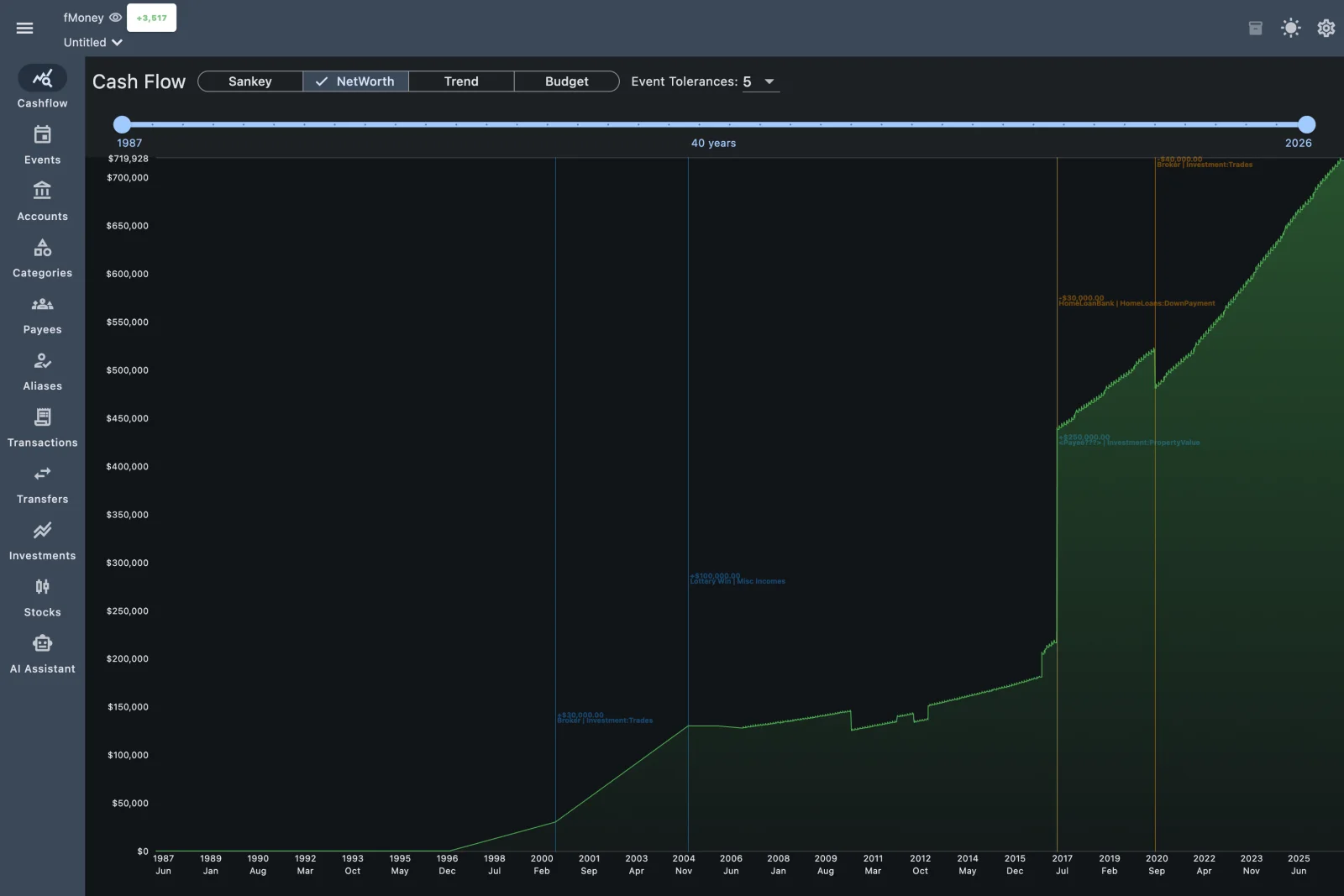
fMoney's Cash Flow view: net worth over forty years of demo data, with the big events marked on the chart
Net worth over forty years of demo data, with the big moments marked where they happened.
Why fMoney

Another money app? In a subscription world?

Fair question. Most money apps today come with a monthly fee, a cloud account, and a request for your bank password. fMoney takes the older, quieter road: an app on your desk and a file that belongs to you.

01

Your books are a file, not an account.

Everything lives in one SQLite file on your disk. Back it up, copy it to a USB stick, open it with sqlite3. There's no sign-up and no sync server, and no one else holds your data.
02

Free, with nothing to upsell.

MIT licensed. No ads, no premium tier, no trial clock. The code that adds up your money is on GitHub for anyone to read, check and improve.

03

Your history comes with you.

fMoney is the Flutter edition of MyMoney.Net and opens the same .mmdb files. Years of transactions, splits, categories and payees open as they are. Nothing to convert.

04

One app on every desk.

One Dart codebase runs natively on macOS, Windows and Linux, and in your browser. The iOS and Android apps build from the same source.

05

Reads what your bank already gives you.

QFX/OFX, QIF, CSV, Excel and even PDF statements. Duplicates are caught by the bank's own transaction IDs, and aliases clean up payee names as they come in.

06

AI that stays on your machine, if you want it.

The optional assistant runs through Ollama on your own computer. Ask about your largest transactions or where the money went. Your finances never leave your laptop.

Love your spreadsheet? Keep it. Give the demo five minutes, then decide.

What's in 1.21

Everything a household's books need, in one window.

Accounts & transactions

Bank, credit card, investment and asset accounts. Splits, transfers that keep both sides in step, and statement reconciliation.

Cash flow

A Sankey of where the money went, net worth over time, trends and a budget, over any range of years.

Payees, aliases, categories

Aliases turn cryptic bank text into real payee names. Categories are suggested from each payee's history. Merges carry every split along.

Investments & stocks

Securities, trades and stock splits, with one-click price updates from Twelve Data using your own API key.

Rentals

Buildings and units, with a profit-and-loss card for each rental and a click from any line to its category.

Imports

QFX/OFX, QIF, CSV, XLSX and PDF statements, investment CSVs, or paste as text. Likely transfers are matched for you.

Local AI assistant

Ask your own questions or use the presets: largest transactions, spending analysis, expense predictions. It reads PDF statements too.

Careful with your file

Saves are all-or-nothing with a .bak backup, a file changed on disk is never overwritten, and unsaved changes are never lost silently.

The extras

Light and dark themes, English, French and Spanish, resizable columns, an A–Z jump bar, and one-click auto-update.

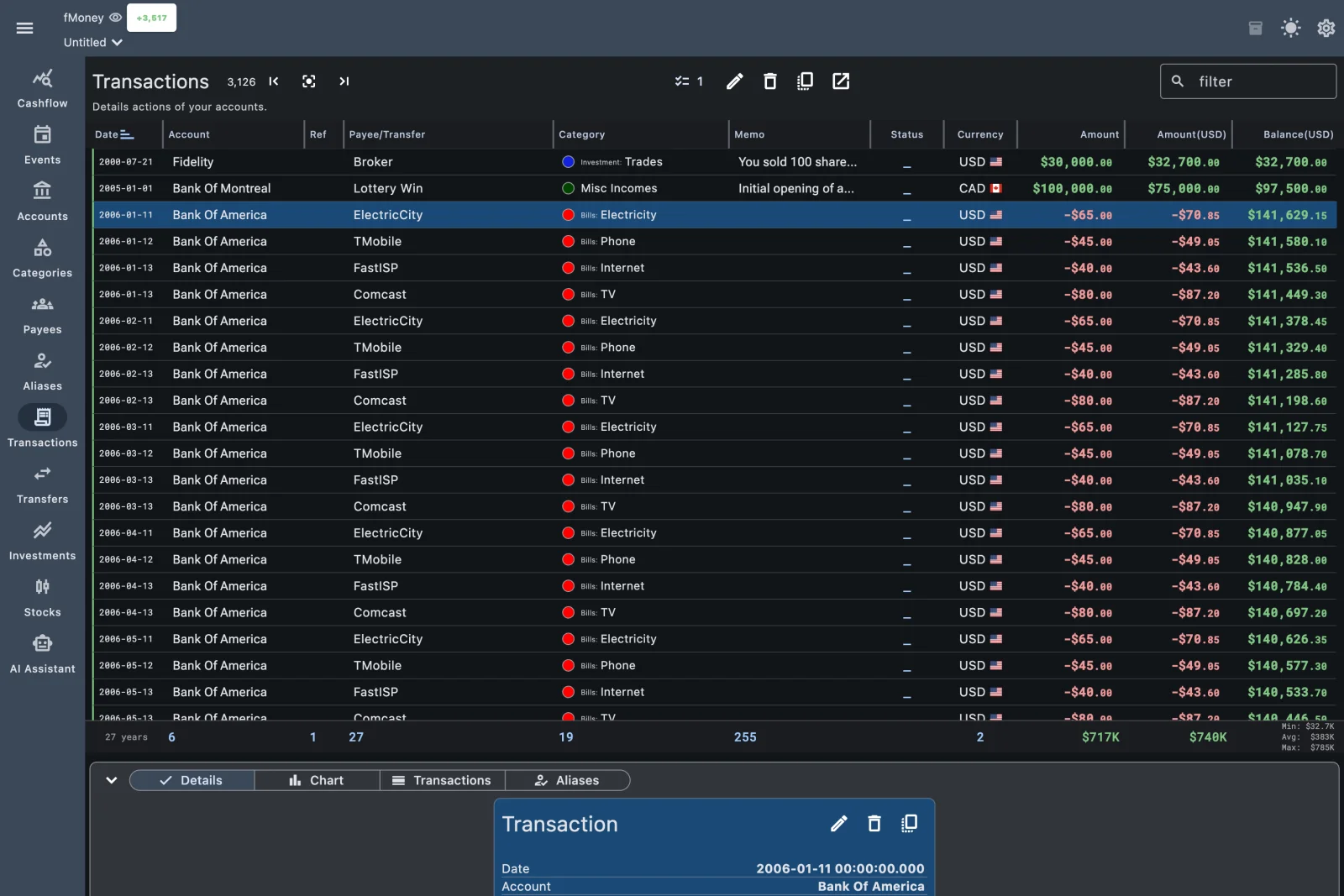
fMoney's Transactions view: the register with payees, categories, amounts and running balances, and the selected transaction's details below
The register: payees, categories, running balances.
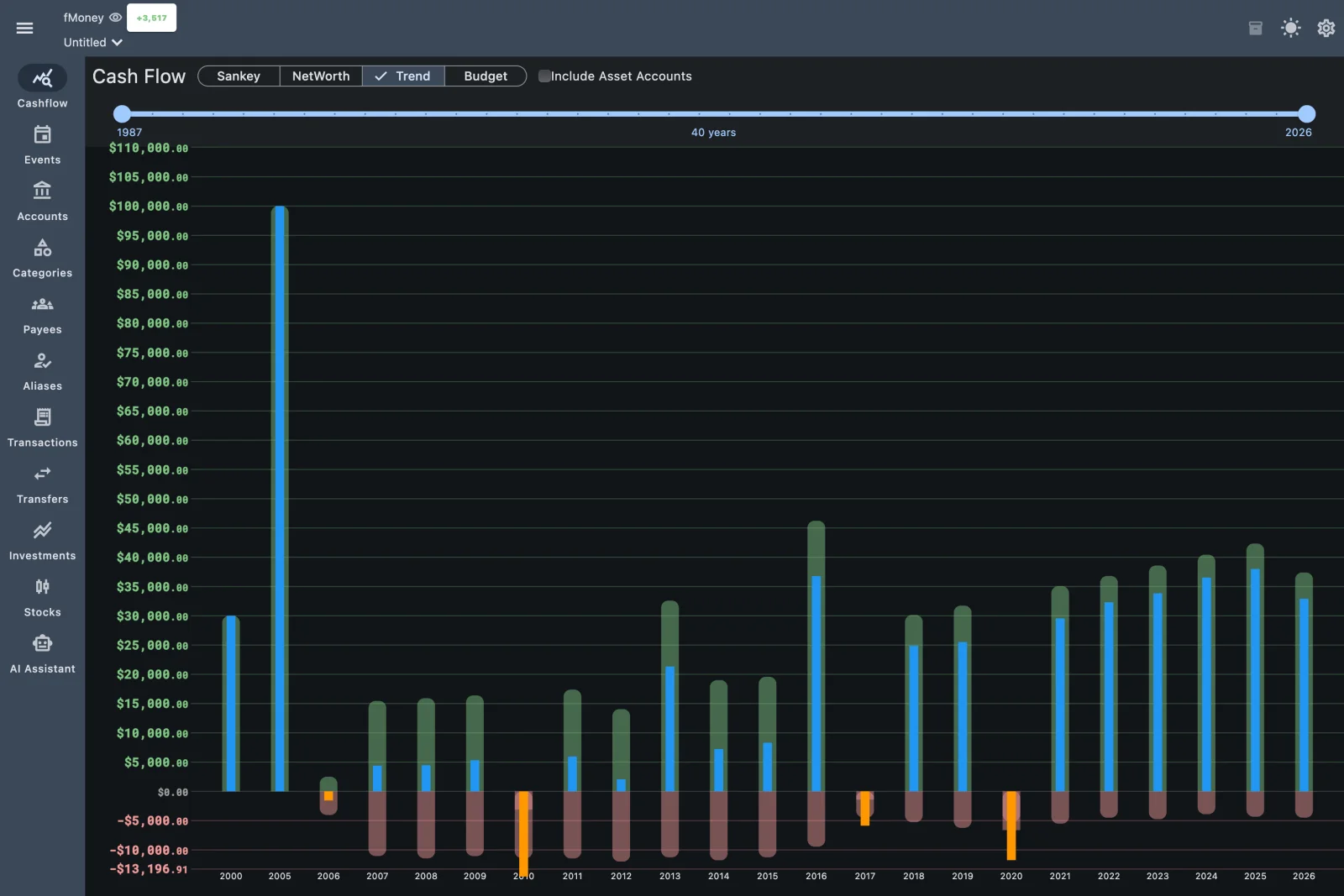
fMoney's Cash Flow trend: income and expenses per year as bars
Income against expenses, year after year.
Heads-up

Grassroots, and proud of it.

fMoney started in November 2022 as a Flutter port of MyMoney.Net. Some 1,400 commits later it still reads and writes the same files as its older sibling. It's a grassroots project: a small vTeam, no company behind it, no marketing budget (you're reading the marketing budget). Expect rough edges, and expect them to get fixed fast when you report them.

Installing is a bit hacky for now

The builds work, but they aren't signed yet, so your OS will raise an eyebrow. Here's the whole ritual:

  1. Try it first: open money.vteam.com and click Use Demo Data. Nothing to install.
  2. Download the build for your OS:
  3. Put it somewhere it can update itself, then talk your OS into it:
    • macOS: move money.app to Applications (not Downloads), launch it, then allow it in System Settings › Privacy & Security › Open Anyway.
    • Windows: extract it to a folder you own, such as %LOCALAPPDATA%\fMoney (not Program Files), run money.exe, then More info › Run anyway.
    • Linux: extract it into a folder of its own and run money. It needs GTK 3.
  4. Optional: for the AI assistant, install Ollama and pull a model, for example ollama pull llama3.2.

After that, fMoney keeps itself up to date: it checks for a new release at launch and offers Install and Restart. Stuck on a step? The README has the long version.

Or the Flutter-fan way

Run it from source. It's a Flutter app, after all.

$ git clone https://github.com/vteam-com/fMoney.git
$ cd fMoney
$ flutter pub get
$ flutter run -d macos  # or windows, linux, chrome

That's also how you get it on iOS and Android today: the apps aren't in the stores yet.

Something didn't work? That's a bug report we want: open an issue.

Roadmap

Where fMoney goes next, with you.

A direction, not a promise. Every item below is up for grabs, and the order changes with whoever shows up to build it.

Shipped · 2026
  • Statement reconciliation
  • One-click desktop auto-update
  • PDF statements read by your local AI
  • Investment CSV import
  • Find possible transfers
  • Alias tools and category suggestions
  • English, French and Spanish
Next up
  • Install without the hacks Signed and notarized builds, so the OS stops asking twice.
  • In the app stores The iOS and Android apps already build from source. Next, publish them.
Help wanted
  • Your language Every label lives in an ARB file. A new language is one translated file away.
  • Your bank's quirks Every bank exports a little differently. Each statement that imports cleanly helps the next person.
  • Package managers A Homebrew cask, a winget manifest, a Flatpak.

Have a better idea? Pitch it in an issue.

Contribute

Flutter fans and spreadsheet people wanted.

If you can build a Flutter app, you can build fMoney. It's plain Dart with Flutter's own ChangeNotifier and Navigator: no state-management framework to learn first. And if you don't write code, a good bug report helps just as much.

Kick the tires

Open the demo, or your own file, and file an issue for anything that breaks, confuses you or is missing.

Bring your bank's file

An import that goes wrong is a bug. Describe it, with a redacted sample if you can, and we'll teach fMoney your bank.

Add a language

Copy app_en.arb, translate it, run flutter gen-l10n. That's a whole pull request.

Fix the install

Signing, notarization, Homebrew, winget, Flatpak. Today's hackiest part makes the best first contribution.

Write tests

Unit tests and macOS integration tests run with tool/test.sh, and every view is a plain Flutter widget you can pump.

The house rules

  1. Open an issue first to talk about what you'd change.
  2. Follow AGENTS.md and RULES.md: they keep the code, the names and the translations consistent.
  3. Run tool/check.sh before your pull request: analyze, tests, and fCheck in strict mode.

It must pass cleanly. fCheck tells you exactly what to fix.

Pull up a chair.

Star the repo, open an issue, or fork it and send your first pull request.

Prefer C# and Windows? fMoney's older sibling, MyMoney.Net, is open source too.